One URL, zero ASC API keys
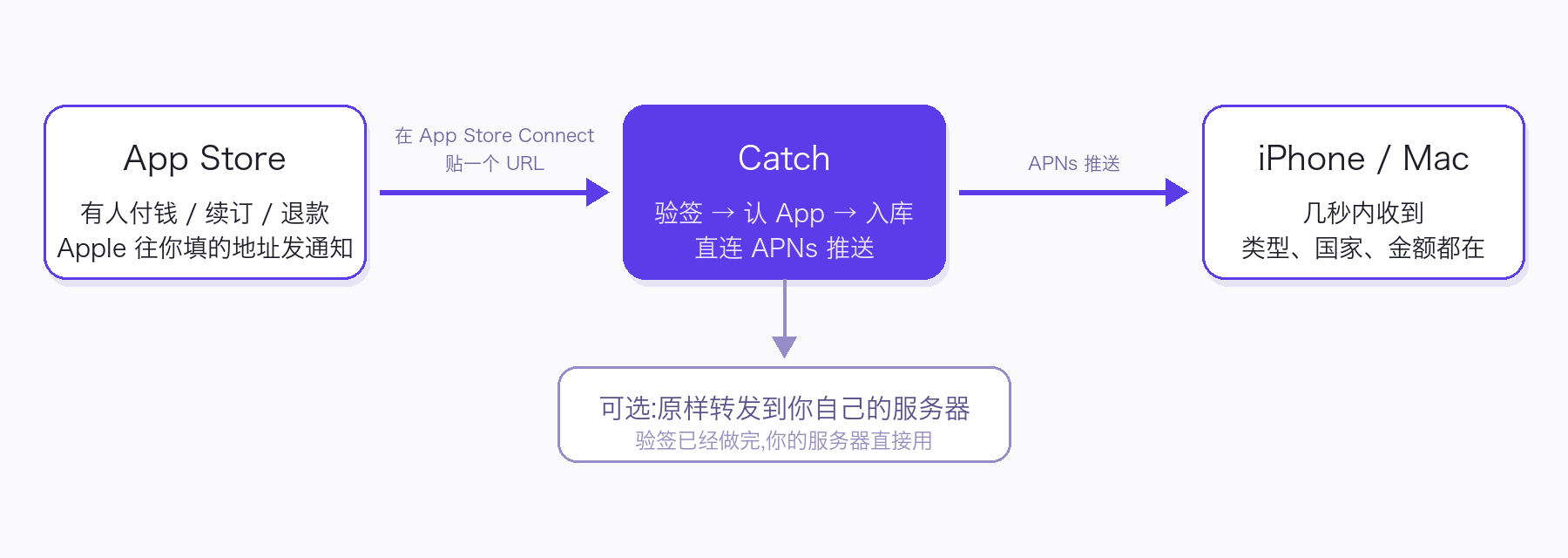
Sign in with Apple to get a private endpoint URL and paste it into App Store Connect. All your apps can share one URL; Catch separates them by bundle ID and asks you to confirm new apps first.
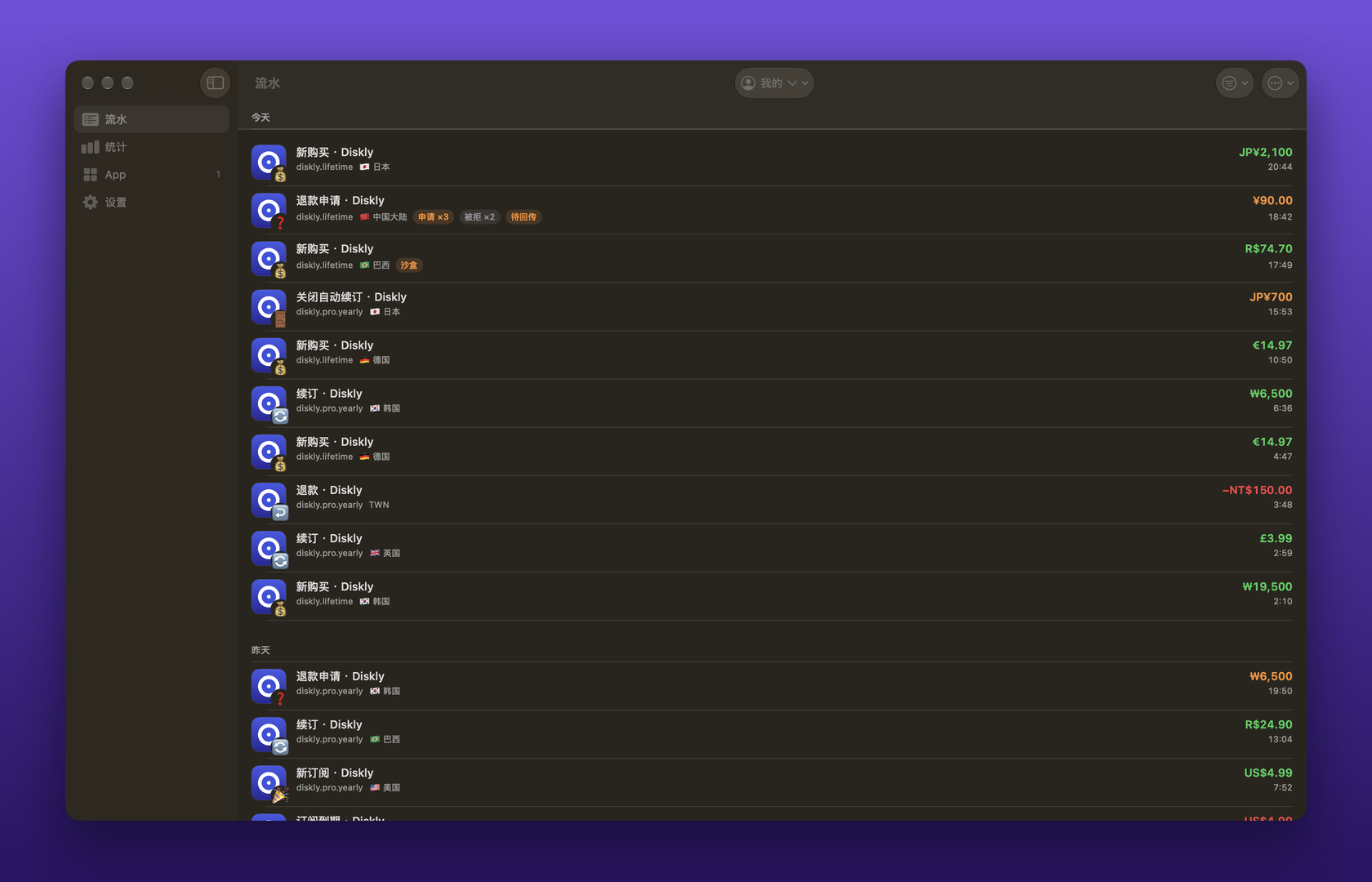
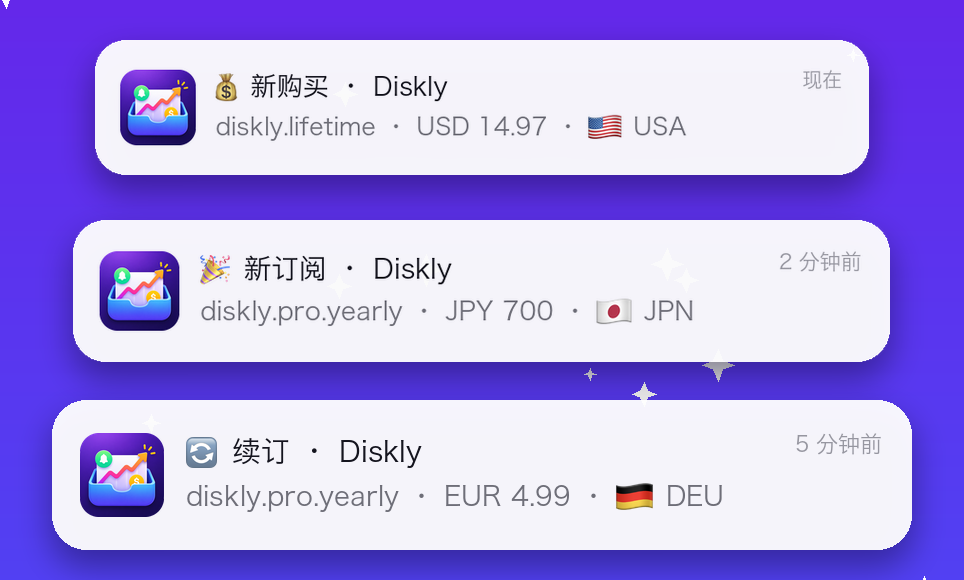
App Store Connect reports lag by hours or a full day. Catch listens to App Store Server Notifications V2, verifies every signature up to Apple Root CA - G3, and pushes every sale, renewal, and refund within seconds.
Universal for iPhone, iPad (iOS 17+) and Mac (macOS 14+) · Free, no ads, no API keys · Built-in Demo Mode
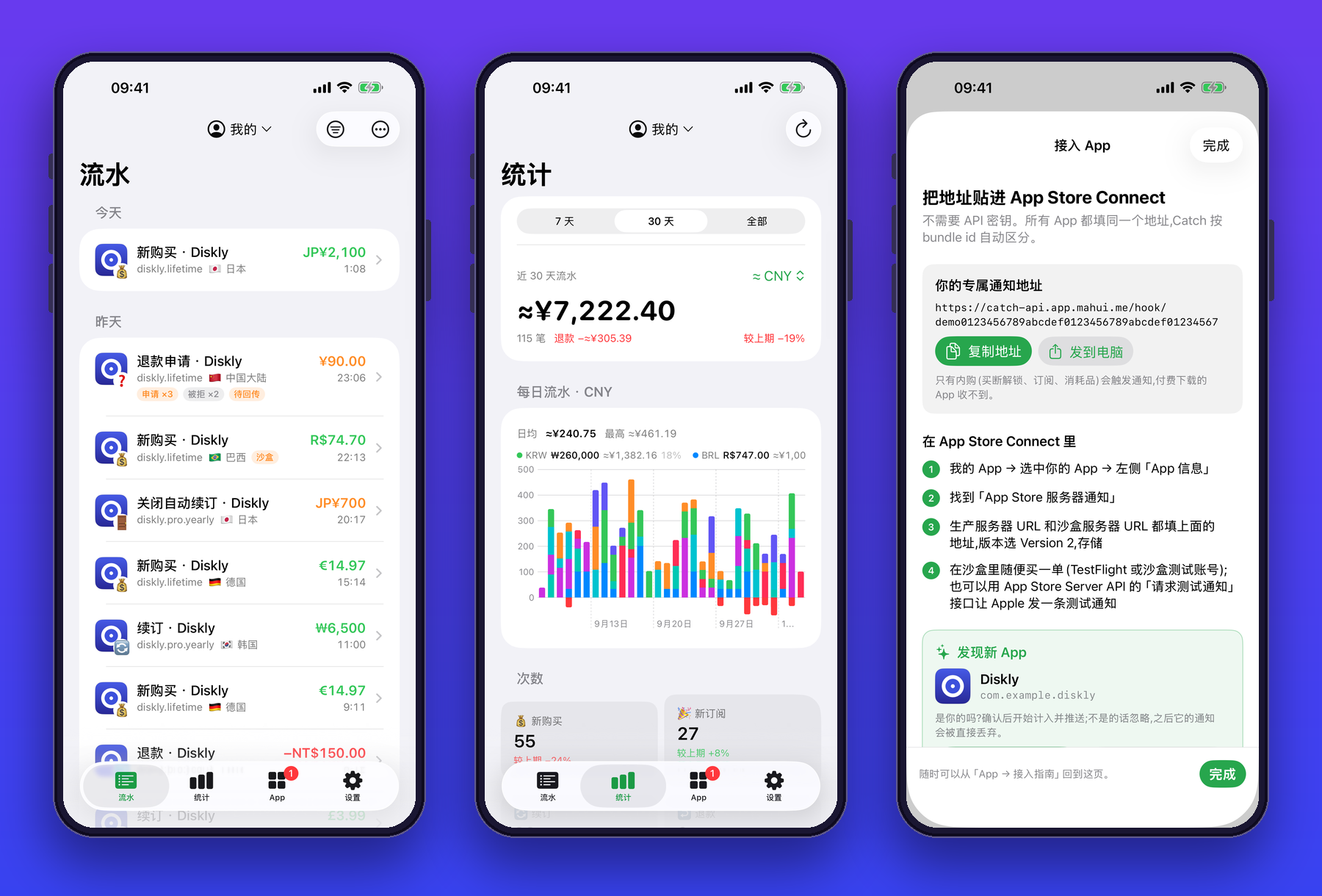
Sign in with Apple to get a private endpoint URL and paste it into App Store Connect. All your apps can share one URL; Catch separates them by bundle ID and asks you to confirm new apps first.
Every JWS payload goes through full x5c certificate chain verification — signatures, validity windows, basicConstraints CA flags, Apple OIDs, and pinned root fingerprint. Forged requests never enter your feed.
Toggle purchases, renewals, refunds, billing failures, and early churn signals like AUTO_RENEW_DISABLED. Revenue events play a crisp chime; overnight sales arrive silently during your quiet hours.
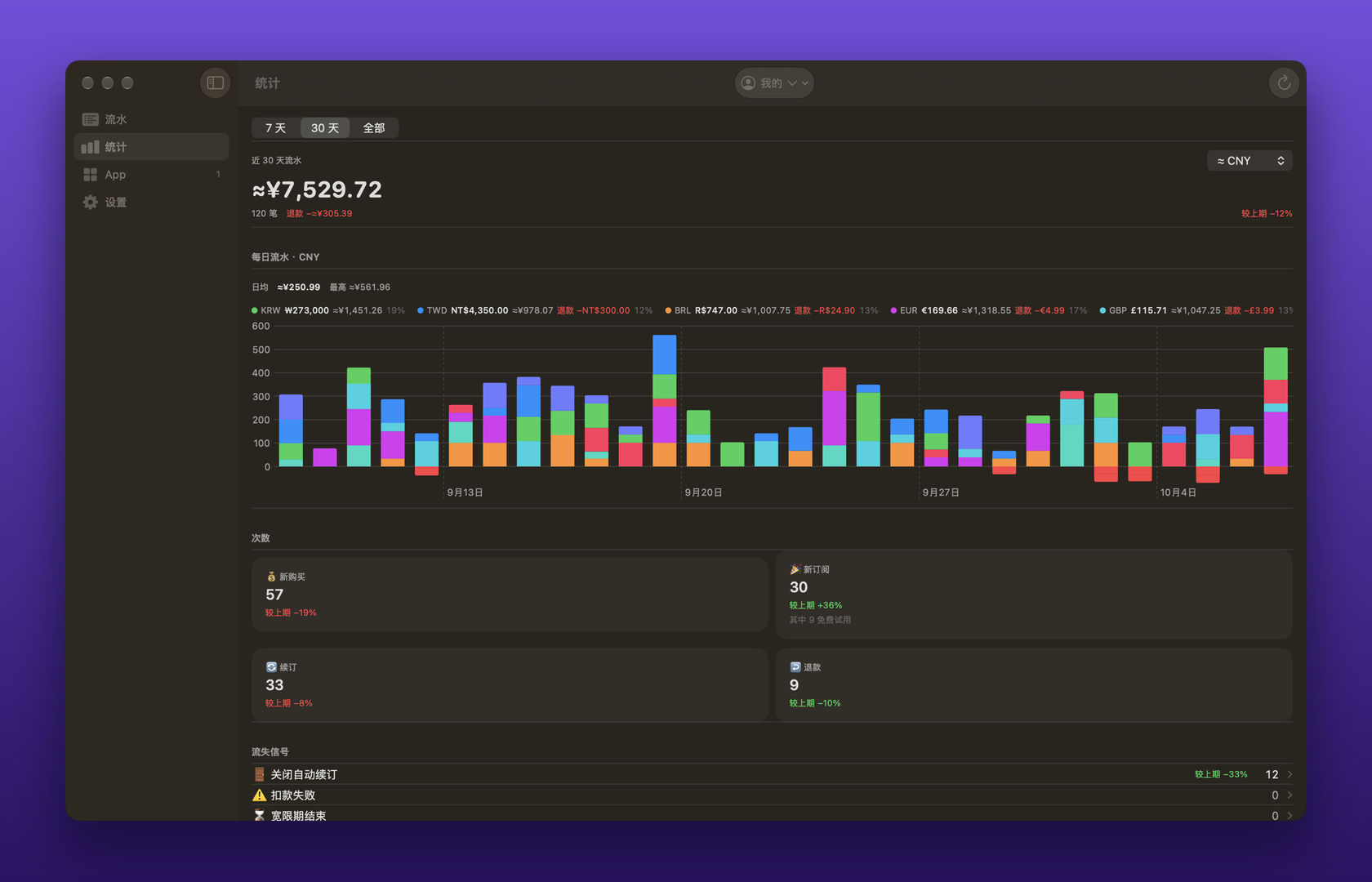
View 7-day, 30-day, 90-day, or full-retention totals with stacked daily currency bars, period-over-period comparisons, per-app and per-country drilldowns, and UTF-8 CSV export.
Apple gives 12 hours to answer a CONSUMPTION_REQUEST. Catch keeps the transaction ID in a 12-hour expiring table only, lets you submit via Apple's V2 API directly from your iCloud Keychain key, and collapses multi-attempt refund threads into one clean row.
Already handling receipts on your backend? Forward raw verified payloads synchronously with native 503 retries. Invite teammates into shared workspaces while keeping personal mute and quiet-hour settings.
| Option | Latency | ASC API Key | Backend compatible | Price |
|---|---|---|---|---|
| App Store Connect | Hours to 24h | Apple ID login | — | Free |
| Third-party analytics | Minutes to hours | Usually required | Often takes the single URL slot | Subscription / revenue share |
| Self-hosted webhook | Seconds | Not needed | Full control | Server & maintenance cost |
| Catch | Seconds via APNs | Not needed (URL only) | Sync forwarding (503 retry) | Free (up to 1,000 events/day) |
Only in-app purchases (unlocks, subscriptions, consumables) emit server notifications. Paid-upfront apps do not trigger Apple server notifications.
App Store Connect sales reports arrive the next day and Trends lag by hours. Catch listens to Apple's App Store Server Notifications V2 directly, delivering an APNs push to your iPhone, iPad, and Mac seconds after a purchase, renewal, or refund happens.
No. You only paste a personal webhook URL into App Store Server Notifications (both Production and Sandbox, Version 2). Catch never sees your App Store Connect credentials. The only optional key is your In-App Purchase key for replying to CONSUMPTION_REQUEST refund alerts — it stays encrypted in your own iCloud Keychain and sends requests directly from your device to Apple.
Check three things: (1) Only in-app purchases (non-consumables, subscriptions, consumables) emit server notifications — paid-upfront apps do not; (2) Make sure both Production and Sandbox Server URLs are filled with Version 2 selected; (3) Confirm the newly detected bundle ID on the Apps tab before pushes begin.
Add your server's endpoint as a forwarding URL inside Catch. Catch verifies the Apple signature first, forwards the raw signed payload synchronously (10s timeout), and returns HTTP 503 to Apple if your server fails — preserving Apple's native retry schedule (1h / 12h / 24h / 48h / 72h).
Every incoming JWS payload is verified along the full x5c certificate chain up to Apple Root CA - G3 (signatures, certificate dates, basicConstraints CA:TRUE, and Apple-specific OIDs). First-seen bundle IDs wait in Pending Confirmation so stray traffic cannot pollute your activity log or stats.
Every feature — unlimited apps, stats, forwarding, Mac app, quiet hours, and team workspaces — is currently free with no ads or subscriptions. To keep service stable for everyone, each workspace records up to 1,000 events per day (forwarding stays unaffected) and retains history for 7 to 365 days (90 by default).
中文 · 技术指南
从 App Store Connect 填写 URL、为什么付费下载 App 收不到通知,到 17 种交易事件与 Apple 重试机制速查。
中文 · 安全与验签
拆解 JWS 头部 x5c 链的 7 项硬性校验:ES256 签名、basicConstraints、Apple 扩展 OID 与 Root CA - G3 指纹。
中文 · 退款处理
App Store Connect 没有同意或拒绝退款的按钮。一文理清 12 小时内回传消费信息的 V2 接口规范与字段约束。
English · Guide
Compare App Store Connect reports, self-hosted webhooks, analytics SDKs, and Catch for receiving instant iOS & Mac sales alerts.
Questions or bug reports? Email catch@appsupport.mahui.me — we usually reply within 1 to 2 business days. Visit the support page or watch the iPad demo walkthrough.